Marketing & growth
Work your leads
Track enquiries from first contact to booked, without a spreadsheet.
Leads collects every enquiry that is not yet a booking — from your website form, a phone call you log by hand, or a campaign — so nothing sits unanswered.
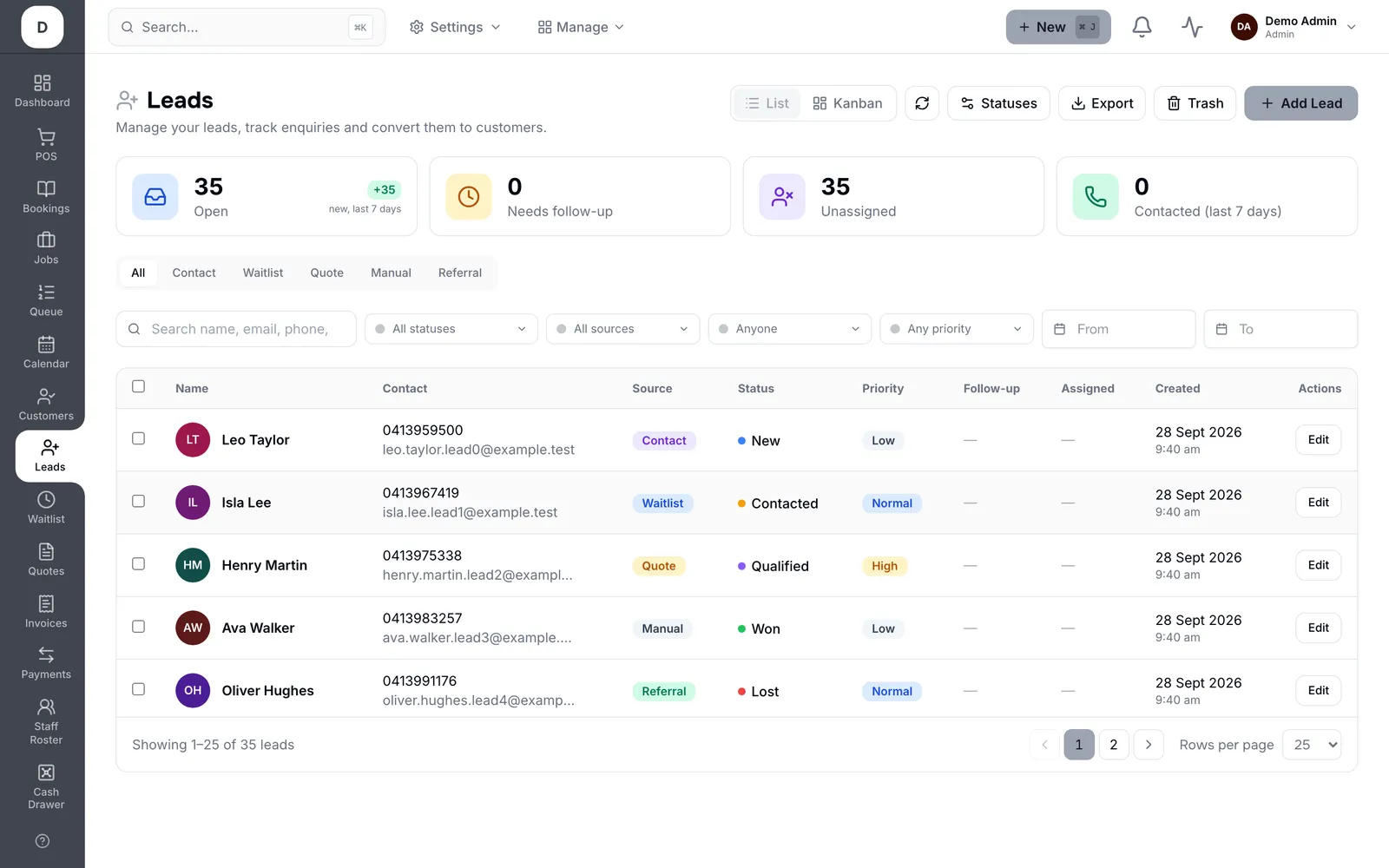
1. The four cards across the top are the state of your pipeline: Open, Needs follow-up, Unassigned and Contacted in the last 7 days.
2. Filter by source with the tabs — Contact, Waitlist, Quote, Manual, Referral — or search by name, email or phone.
3. Add Lead records someone who rang or walked in, so phone enquiries sit in the same list as the ones your website captured.
4. Give every lead an Assigned owner and a Follow-up date; the Unassigned and Needs follow-up cards exist to show you the ones that have neither.
5. Move it along with Status — New, Contacted, Qualified, then Won or Lost — and use List or Kanban, whichever you read faster.
Tip: A lead with no Assigned and no Follow-up is the one that goes quiet. Filling both takes a second and is the whole point of the page.