Agreements & signatures
Get it signed without printing anything
Upload the agreement you already use, mark where the signature goes, and send it. They sign in a browser and you get a stamped PDF with an audit trail behind it.
14 days free · No credit card · Cancel any time
01
Your document, not our form
Start from the agreement your business already uses.
- Upload a PDF, or a Word .docx that is converted for you
- Place signature and date fields where they belong
- Reusable templates for the ones you send often
- Your own countersignatory on the business side
02
Signed in a browser
No account, no app, no printer. A link and a finger on a phone screen.
- Signing link works on a phone, tablet or desktop
- Nothing for the customer to install or register for
- Sent against a job or a customer, so it is filed where it belongs
03
A copy that holds up
What you keep afterwards is the point of the exercise.
- Signature stamped into the PDF itself
- Audit trail recorded alongside the signed copy
- Stored against the customer and downloadable later
Walkthrough
Pick the document, say where to sign, send it
One screen between the agreement you already use and a signed copy filed against the customer. Nothing is printed, and nothing is retyped.
Step 1
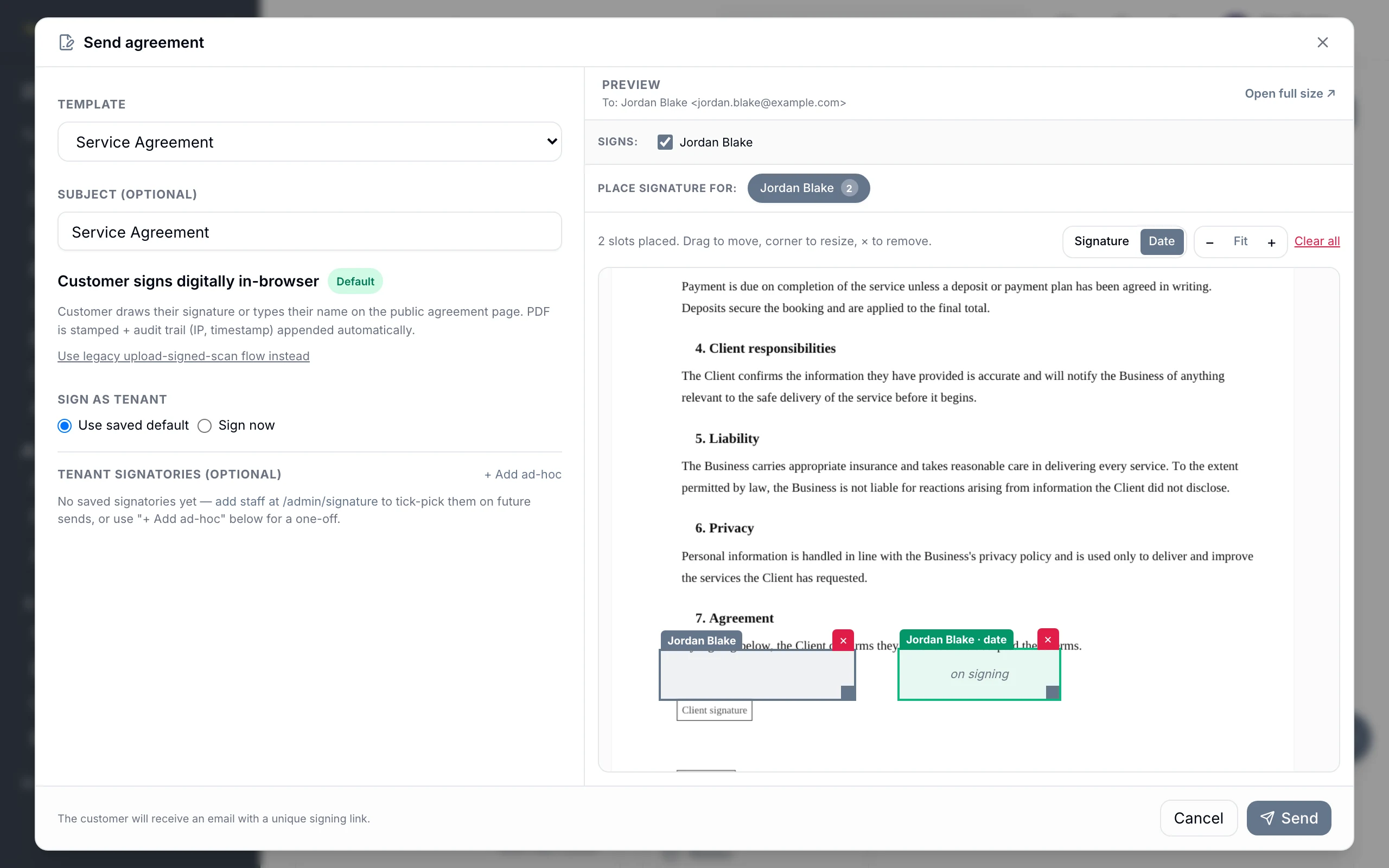
Two slots placed, and the send is ready
Choose a saved template, then drop the boxes where they belong — here a signature and a date sit on the client's signing line, the date one filling itself when they sign. Drag to move, corner to resize, or leave the page empty and they land at the bottom of the last one. Signing happens in the browser: the PDF is stamped and an audit trail with IP and timestamp appended. The old upload-a-signed-scan route is still there, you can countersign as the business, and the customer gets a signing link of their own.
Works with
The parts either side of this one
Everything else
The rest of the platform
Get started
Start free today.
14 days, no credit card, and your data comes with you if you leave.