Point of sale
A register that already knows the appointment
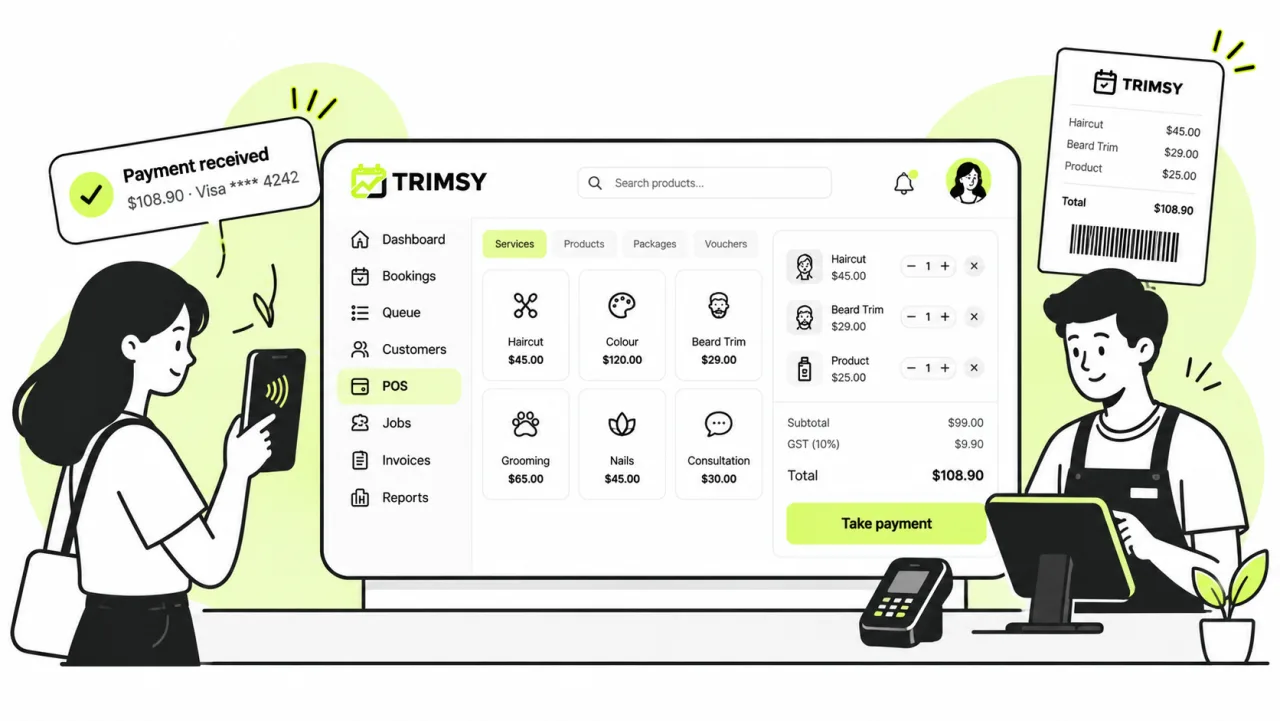
The customer walks up from the chair and the sale is half-built: their services are already on it. Add a retail product, take the payment, print the receipt.
14 days free · No credit card · Cancel any time
01
The sale builds itself
Everything the customer has already done is on the ticket before you touch it.
- Pull an appointment straight onto the sale
- Retail products alongside services
- Combo deals and packs at their bundled price
- Gift cards sold and redeemed on the same screen
- Promo codes applied at the counter
02
Cash, card and everything between
Split a payment, add a tip, refund a line — without leaving the sale.
- Cash and card, or both on one sale
- Tips, with preset amounts on the customer-facing display
- Card terminals through Stripe or Square
- Refunds against the original sale, not as a loose credit
03
Receipts and the end of the day
Print or email the receipt, and close the drawer knowing what should be in it.
- Network receipt printers, printed automatically if you want
- Emailed receipts for customers who would rather not carry paper
- Cash drawer shifts with an opening float
- Payouts and reconciliation at close, with the variance shown
- A customer-facing display so they can see what they are paying for
Walkthrough
The counter, on whatever you already have
The same till in a browser and on a tablet. Nothing about the sale is retyped — it arrives from the queue or the diary with the services already on it.
Step 1
In service and waiting, right above the catalogue
The people currently in the chair sit at the top of the till, so a sale starts by tapping the customer rather than searching for them. Services, combos, products, misc lines and gift cards are tabs on the same screen, and Display pushes the cart to the customer-facing screen.
Step 2
The same register on the counter tablet
GST is calculated on the line, a guest checkout needs no customer record, and discount, promo, gift card and tip all sit next to the total. Hold parks the sale without losing it when someone goes back for a second product.
Everything else
The rest of the platform
Get started
Start free today.
14 days, no credit card, and your data comes with you if you leave.