Jobs & quotes
Set up job pipelines to track work stages
Create pipeline stages that reflect your actual workflow, from start to finish.
What is a job pipeline?
A pipeline is the foundation of your jobs board. Its stages should match how work actually moves through your business—from initial booking through to completion.
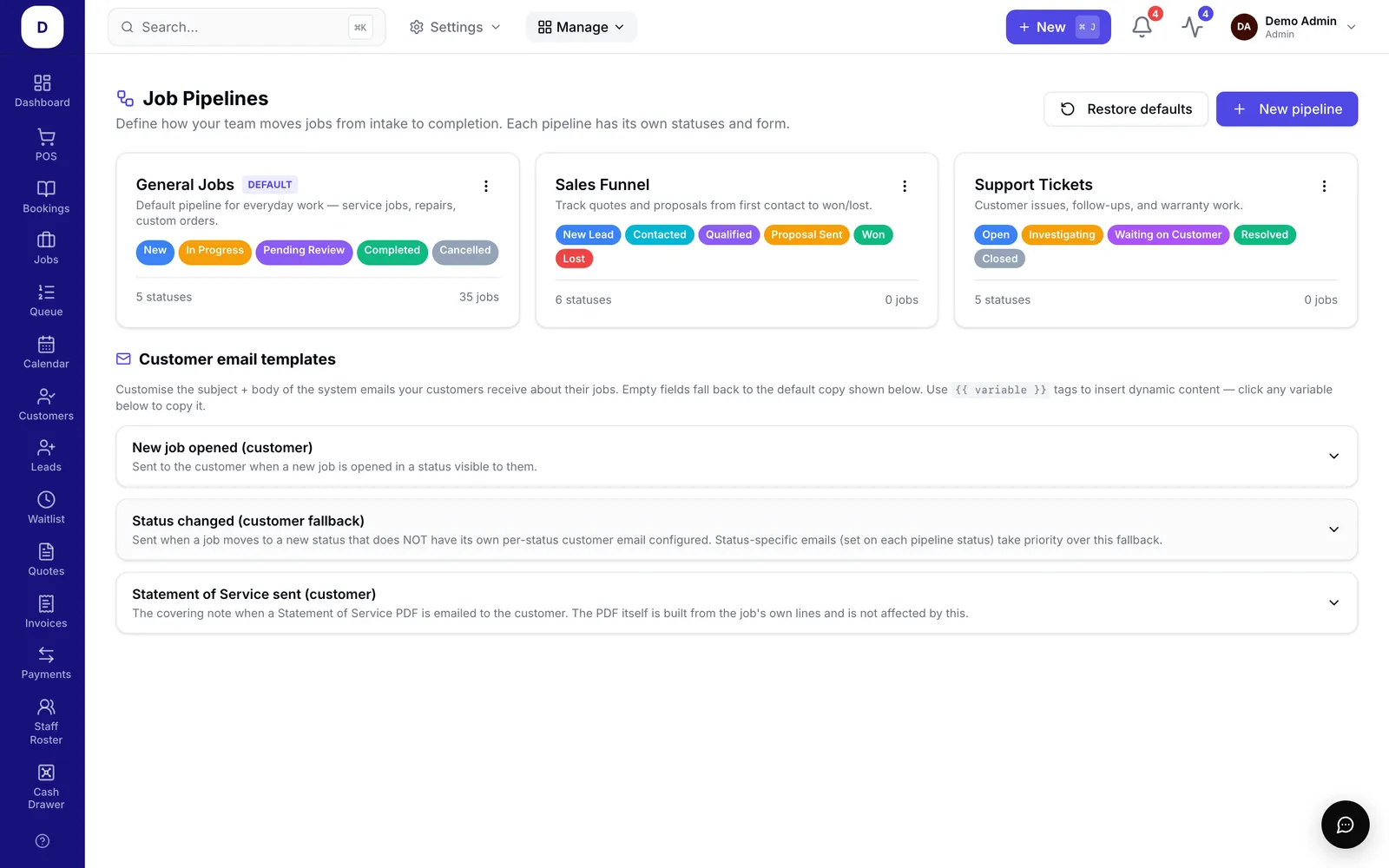
Create your pipeline
- Go to Manage > Jobs Setup > Pipelines.
- Create a new pipeline and add stages in order.
- Keep stages clear and limited—avoid overlapping names.
Set up customer notifications
- For each stage, choose whether to email the customer when a job enters it.
- Customise the email message for that stage.
Mark work as complete
- Designate one stage as your completion stage.
- Jobs in this stage will leave the board automatically once finished.